This is a customization message that is sent to each new Acadio user after they complete the onboarding process. The message appears in the student dashboard notifications box and can be used to welcome students and help guide them as they begin using the platform.
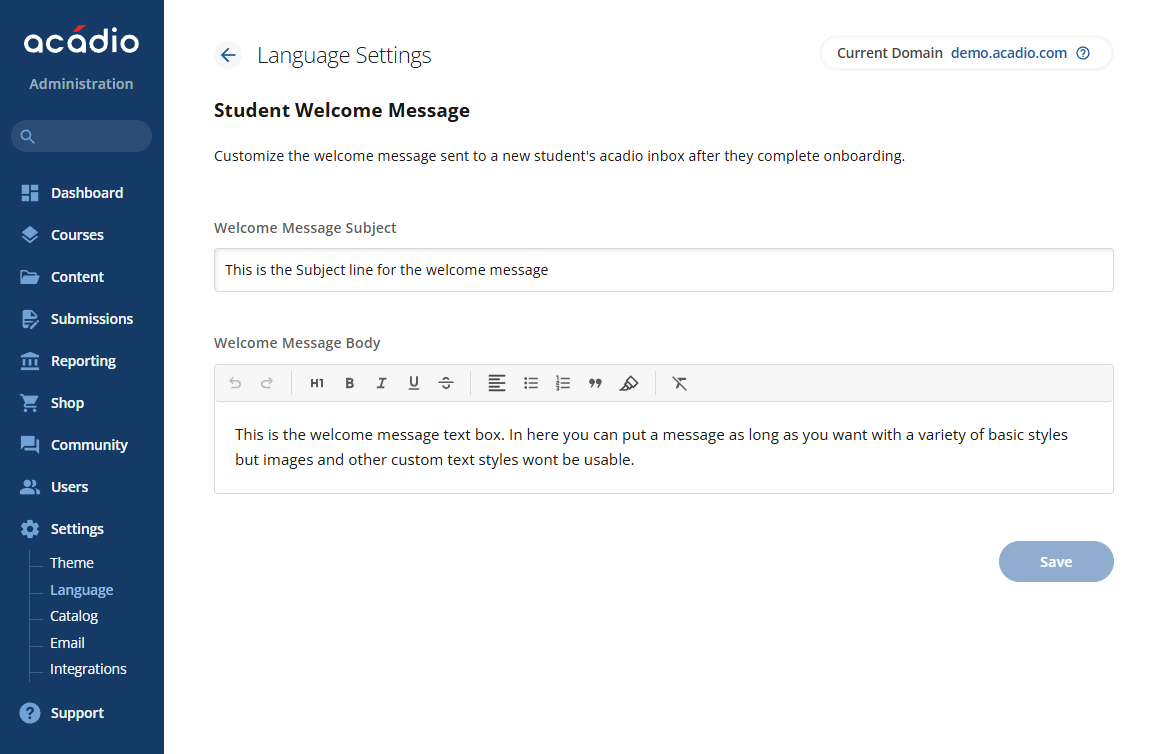
To customize the welcome message:
Select settings from the menu
Then, select the Messaging and Language
Click Student Welcome Message
Once you are here you can adjust the language for the student welcome message
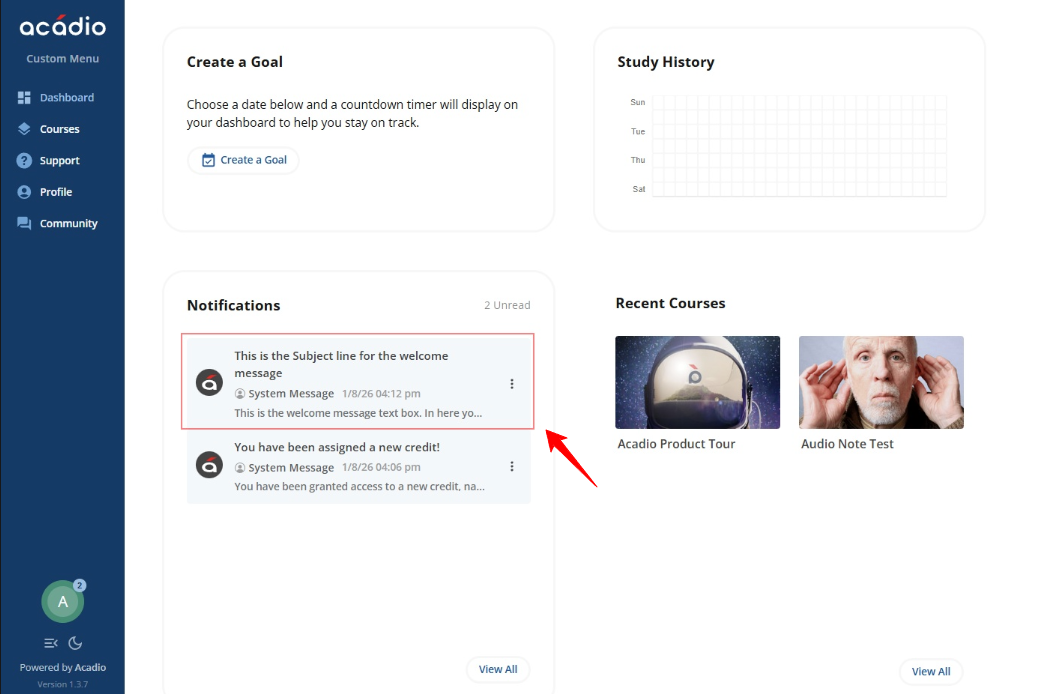
After logging in, the welcome message appears in the Notifications box on the dashboard, as shown in the image below.
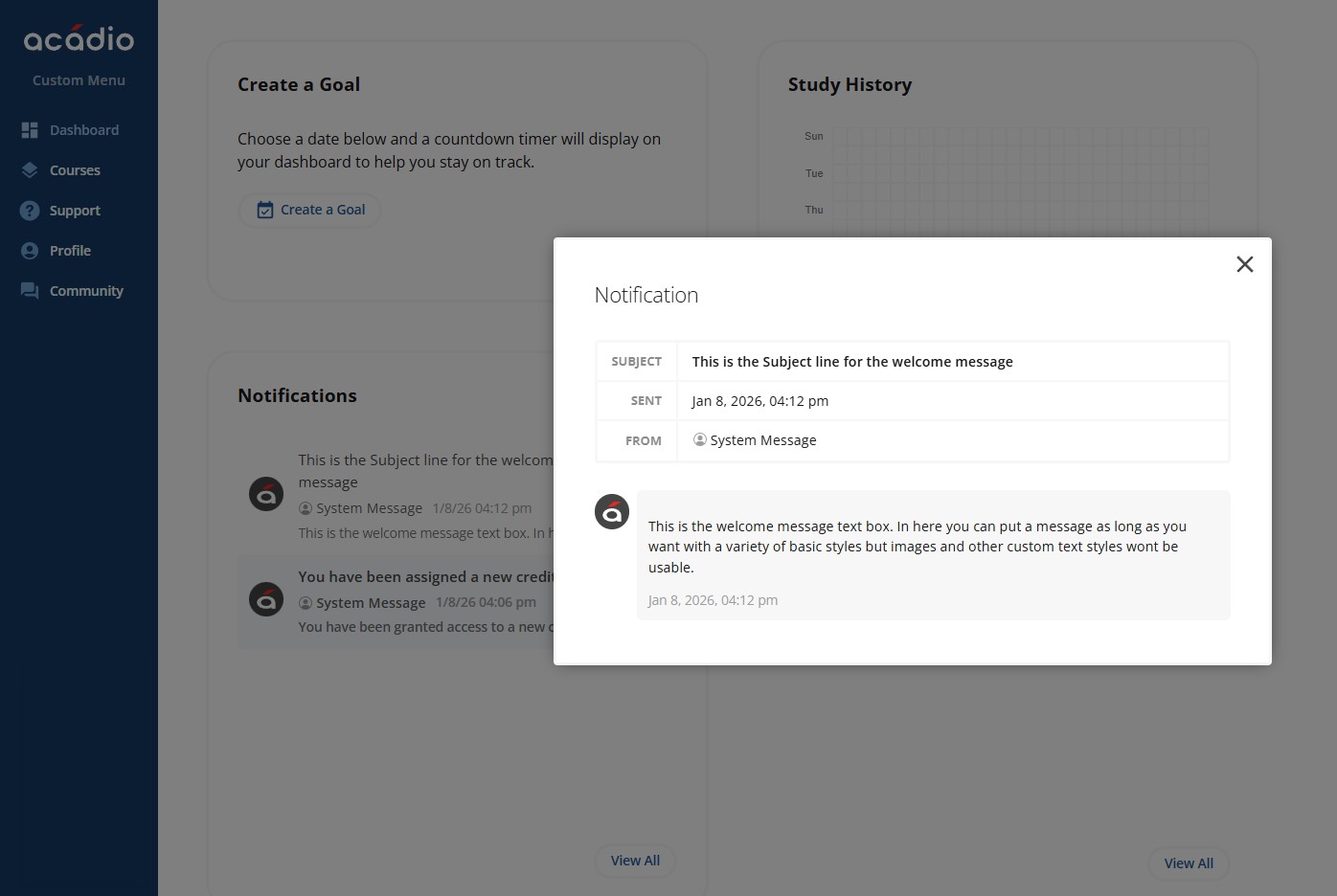
Students can click into the message to read it, and once opened, the message is marked as read. The message will remain in the student’s inbox indefinitely in case they need to reference the information again. Below is an example of what the Student Welcome Message will look like inside of the students inbox.