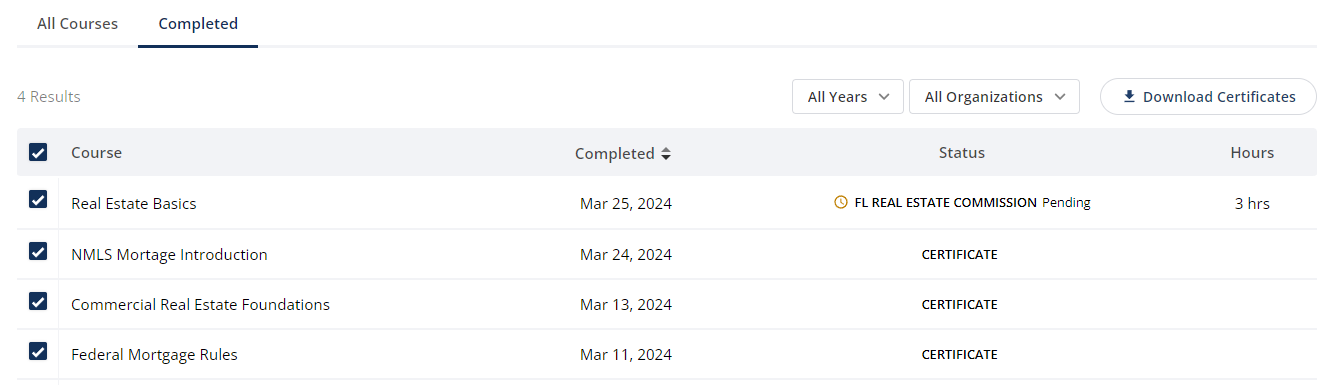

Follow the steps below to download your certificates of completion:
Log into the platform using your email address and password.
Click Courses on the main menu.
Click Completed at the top of the screen to view all completed courses.
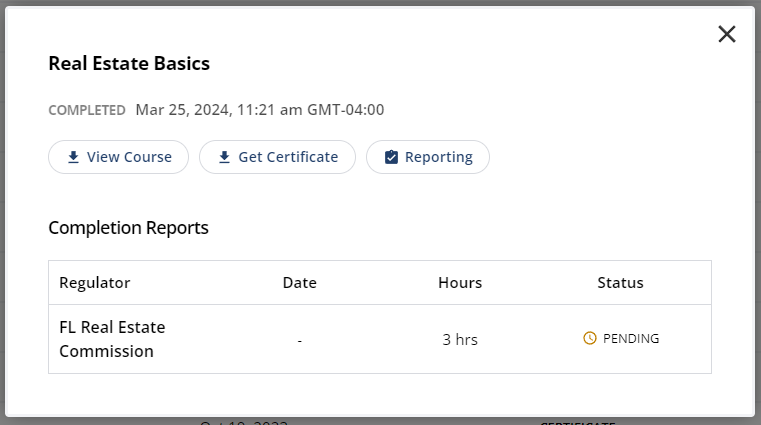
Select a course from the list of results to download the certificate and view the reporting status.
To download all certificates, click the box in the top left corner to select all courses, and click the Download Certificates button.