
Once your store is connected to Acadio, you’ll need to map your products to credits so students can access the courses they’ve purchased.
During the initial setup, you’ll need to sync your products manually using the Sync Products button. After that, any new products created in your store will automatically appear in Acadio, where you can connect them to credits.
Follow these steps to connect products to credits:
From the main menu, go to Shop.
Click the Products tab.
Click Sync Products to import the products from your connected store.
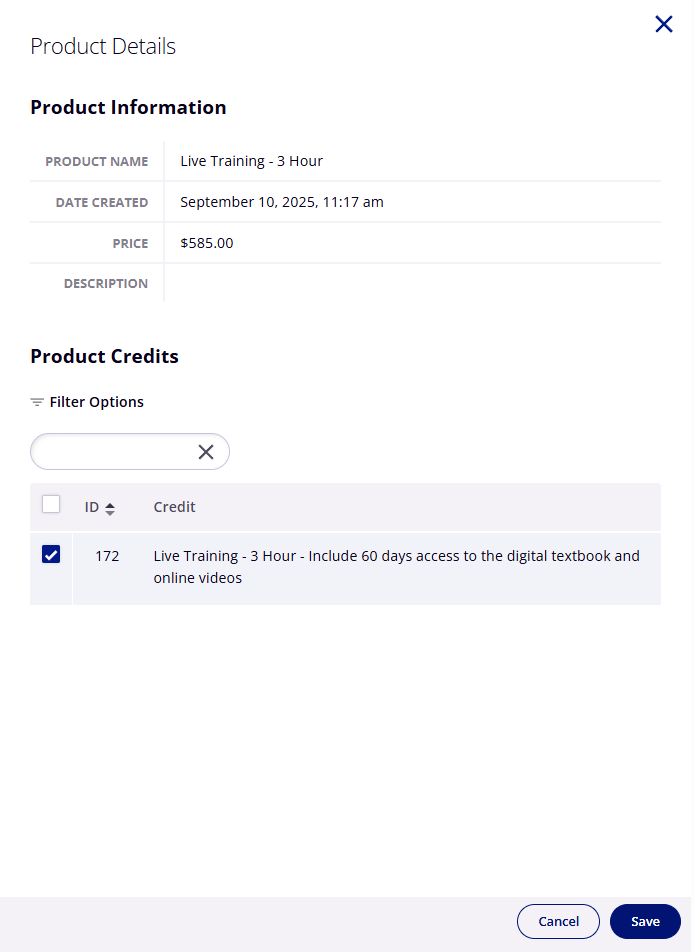
Select a product from the list to open its Product Details in the drawer on the right.
Under Product Credits, choose the credit(s) that should be associated with this product.
When finished, click Save.