

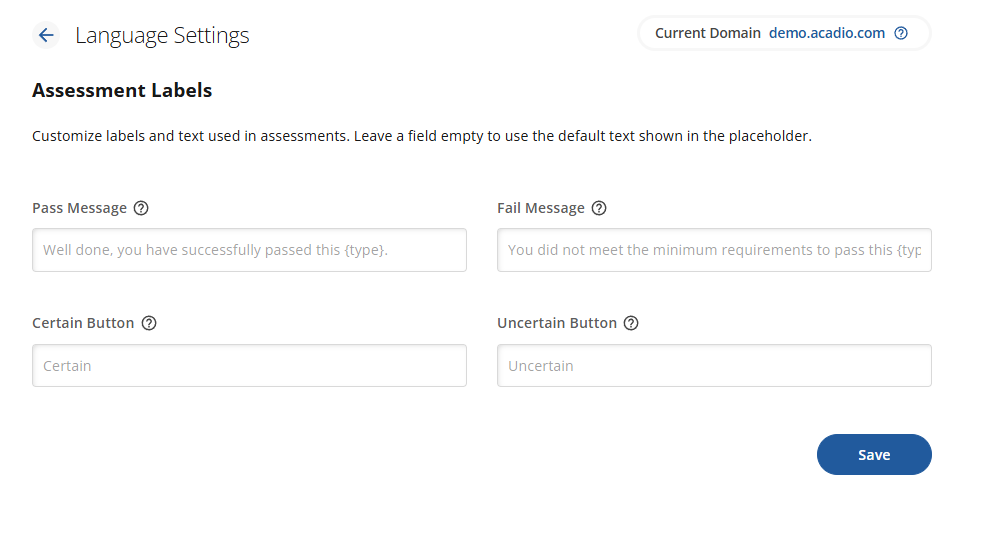
Assessment Labels allow you to customize messages related to in-course assessments. You can modify the language used for quiz and exam pass or fail messages, as well as the Certain and Uncertain buttons.
Pass Message
You can customize the pass and fail messages that appear on every quiz and exam throughout the site. Use the {type} variable in your message whenever you need to reference the assessment the student is taking.
For example, the default pass message is:
"Well done, you have successfully passed this {type}."
When a student completes the assessment, the {type} variable will automatically update to either quiz or exam, depending on the assessment type.
Certain/Uncertain Buttons
The Certain and Uncertain buttons appear in the study bank. The text you enter will replace the default labels on these buttons. To keep the student experience clear and easy to use, it’s recommended to use one word labels
If you want the Certain and Uncertain labels to appear on quizzes as well, you will need to enable the Performance app. If the Performance app is not enabled, quizzes will use the default Submit Answer and Previous buttons.