
Unlocking a course
Follow the steps below to unlock a course for a student:
Navigate to the course that needs to be unlocked.
Select Students from the course navigation menu.
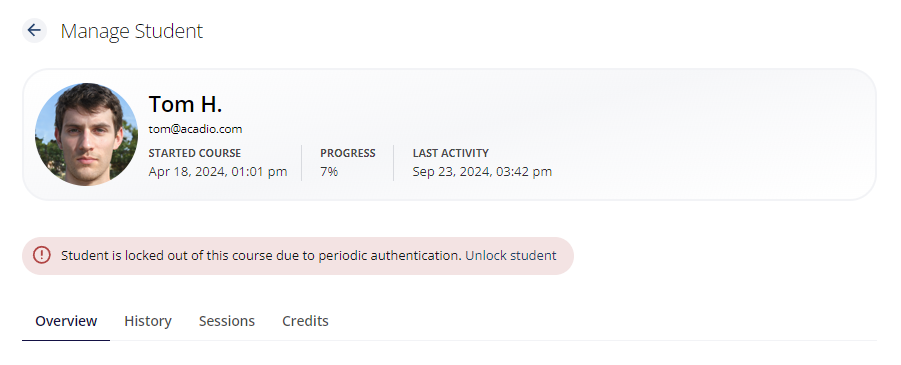
Locate the student you need to allow back into the course and click their name to view the Manage Student area.
Find that authentication alera below the student's name and email address and above the overview. Click Unlock Student.
Resetting the secret
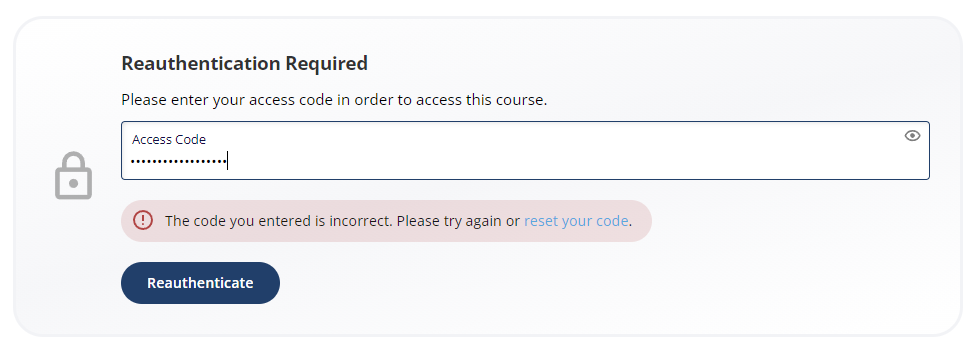
Students who cannot remember their secret can reset it using a link on the authentication prompt. Clicking the Reset Your Code link will email the address associated with the account. Students can then follow the link in the email to set a new secret and continue with the course.