
To remove a credit from a user:
Select Users>Users from the main menu.
Use the search field to locate the user and click on them to go to the Manage User screen.
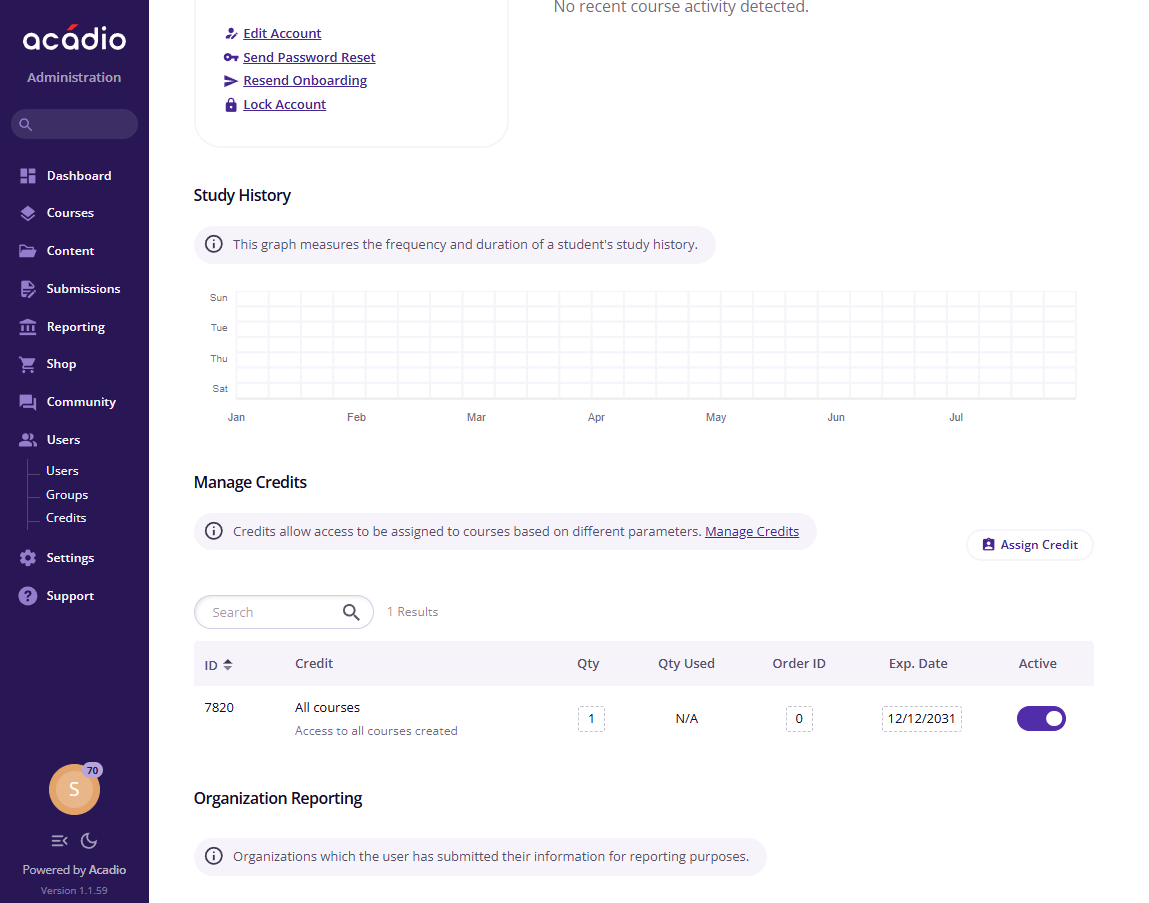
Scroll down to the Manage Credits section.
Deactivate the credit using the toggle switch (if the switch is on the right like the screenshot below, the credit is active).
Alternatively, the user's credit can be expired by editing the date in the Exp. Date field. Please note, the Exp. Date field will supersede the expiration date set on the credit itself (e.g. If the credit has an expiration date of 12/31/2027, but the user's credit has an expiration date of 12/01/2027, the user will lose access to those courses on 12/01/2027.)