
To create or manage questions, select Content>Questions from the main menu or select Questions from the course navigation menu when in course scope.
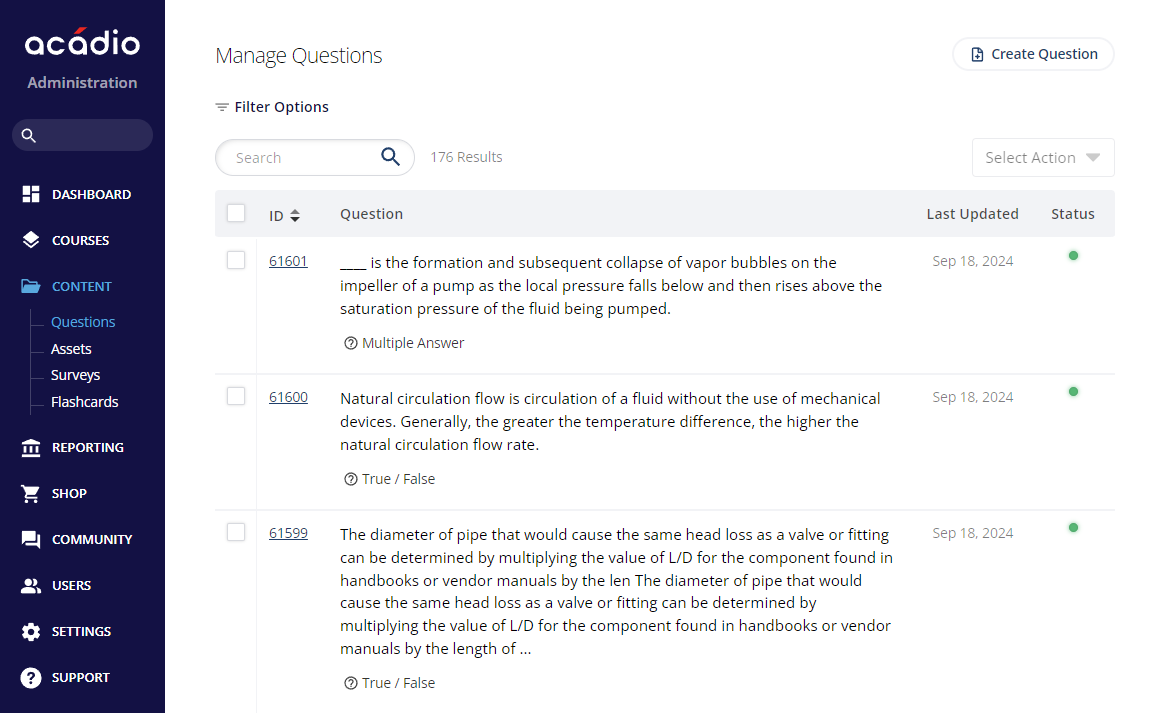
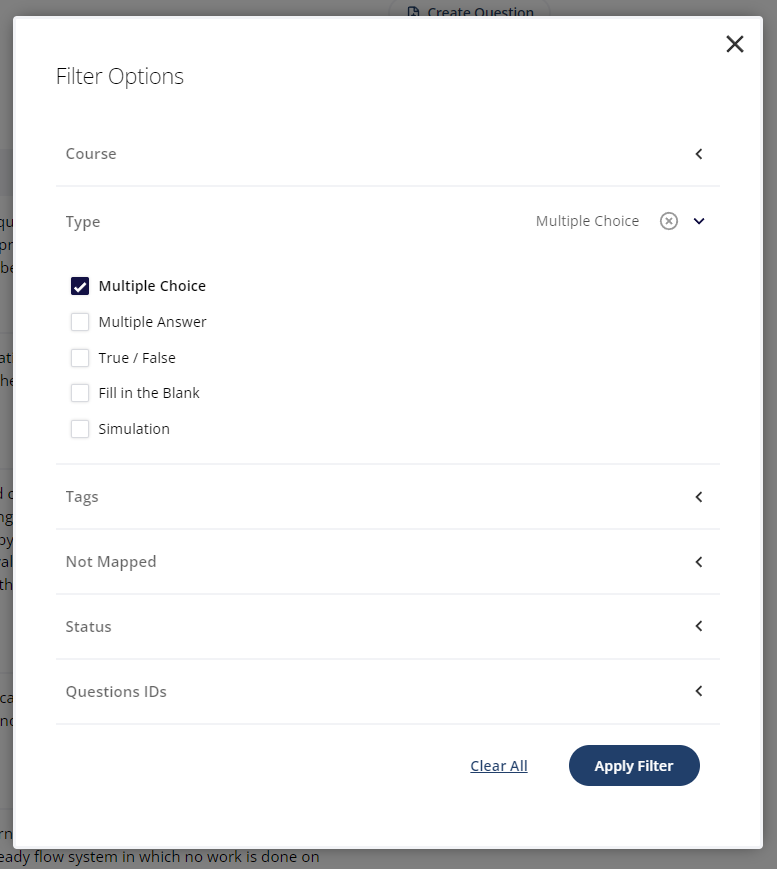
Use the search bar to locate questions using keywords. Additionally, questions can be filtered by the following:
Course - display questions from all courses on the platform or from specific courses
Type - display questions of a specific type
Tags - display questions with specific tags
Not Mapped - display questions that have not been assigned to any topics
Status - display questions with active or inactive status
Questions IDs - display questions matching specific question IDs. Multiple IDs can be entered into the field simultaneously, separated by commas.