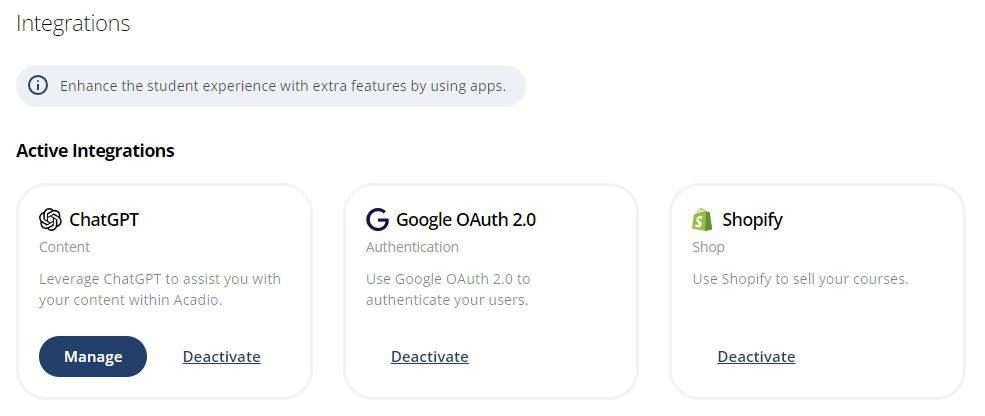

Acadio has native integrations with 3rd party applications, including ChatGPT, Zoom, Shopify, BigCommerce, WooCommerce, ProctorFree, and more.
IMPORTANT: To use the Shopify integration, Basic plan users must upgrade to Shopify Grow, Advanced, or Plus plans to configure this setting.
To use the ChatGPT integration, you must have a funded, verified account to access OpenAI's API and use advanced models. https://help.openai.com/en/articles/10910291-api-organization-verification
Follow the steps below to install and manage platform integrations:
Select Settings>Integrations from the main menu.
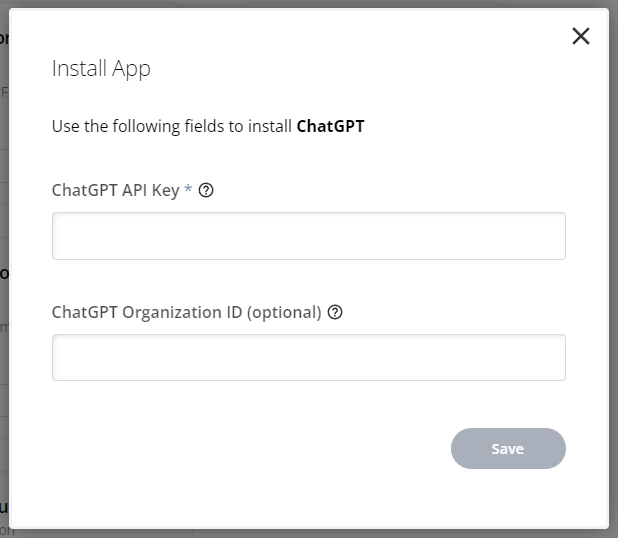
Find an application under Inactive Integrations and click the Install App button.
Each application will ask for credentials and other required information to connect to Acadio. For example, when activating the ChatGPT application, you will be prompted to enter the API Key from your OpenAI account.
Once activated, certain integrations will offer additional options. View these options by clicking the Manage button.
To remove an integration, find it under Active Integrations and click Deactivate.