

Connecting Shopify to Acadio requires the configuration of a custom app in Shopify.
Step 1: Create a custom app in Shopify
In the search bar within Shopify, type “App development” to locate the settings for installing custom apps.
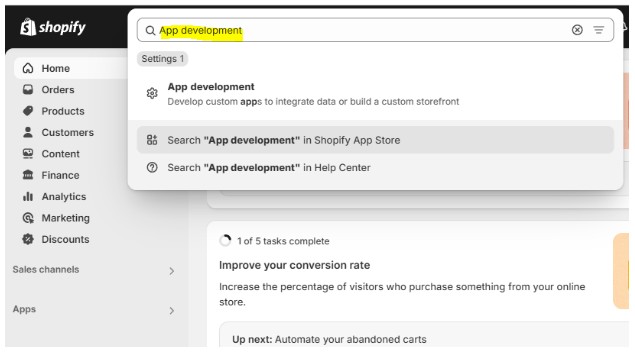
You can also navigate to Settings>Apps and sales channels then click on the “Develop apps” button. On the next page, you may need to click on a button to Allow custom app development.
Once you accept the terms of use, you can click the Create an App button. We suggest entering “Acadio” as the App name.
On the next screen, select Configure Admin API scopes.
Step 2: Configure Admin API scopes
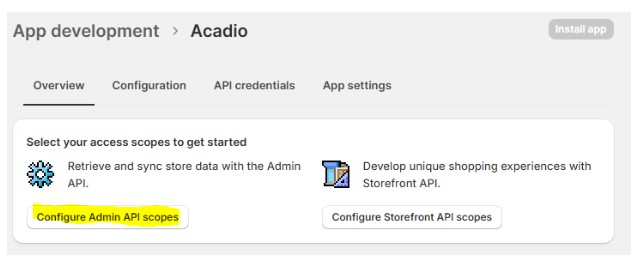
You need to locate and enable the following permissions for the App to function properly.
read_orders
read_products
read_customers
No other permissions are needed.
Tip: use the browser search (ctrl+f ) to help find these quickly.
Click the Save button when done.
Step 3: Obtain API credentials and enter into Acadio.
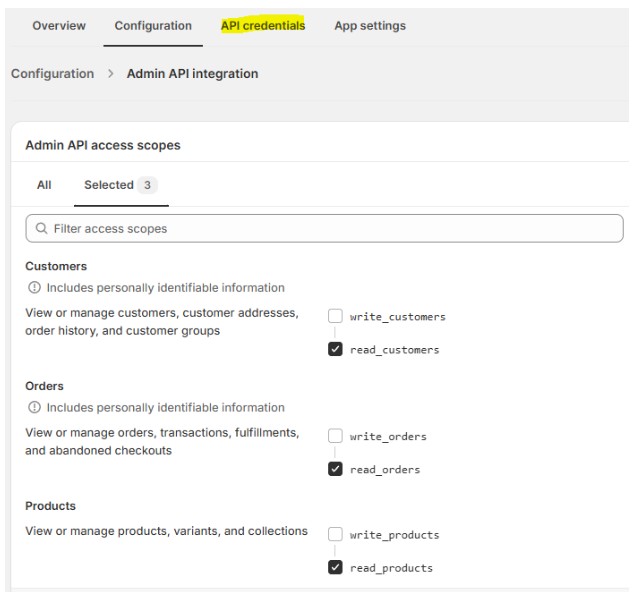
Next, select the API credentials tab.
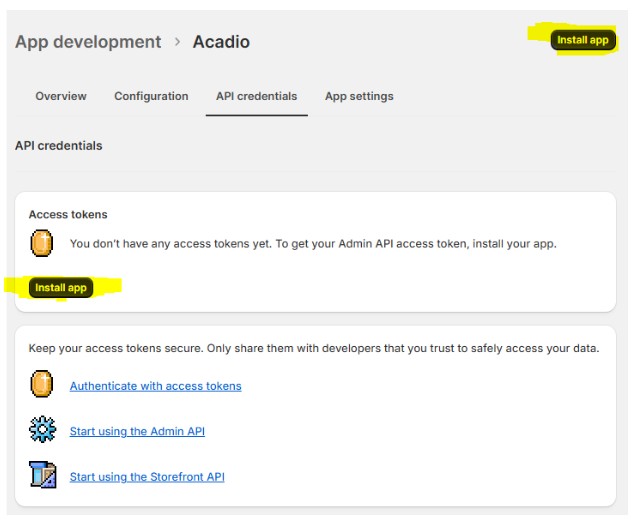
You need to install the app to receive your access token and API Secret Key. They will only show you this once, so store it in a safe place.
Connect to Acadio
Navigate to Settings>Integrations on Acadio, and enter the following three pieces of information into the Shopify App:
Shop Name - When logged into the Shopify admin, the shop name appears between the slashes in the url immediately after store/. Example: store/frec0e-87/
Access Token - They will only show you this once, so store it in a safe place.
API Secret Key—This is not the API key (which is not needed); it is the API secret key. It is a string of characters.
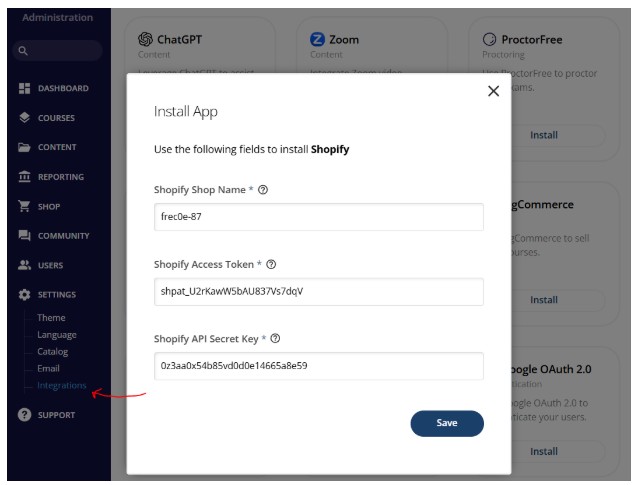
Note: This information is for illustrative purposes and is not the exact data you will enter.
The products and orders will sync from your store to acadio.
IMPORTANT: For orders to automate student enrollment into your courses, each product must be connected to the appropriate credits within Acadio.